For Scouts, parents & leaders

How to log in. Even with just your email.

Your troop's leaders create your account for you. There is nothing to install and no invitation code to type — you only need to find your troop and prove the email address is yours.

1

Find your troop's page

Every troop has its own page and its own sign-in. Open troopplanner.com and choose Find Your Troop in the top bar.

Search by troop number, city, state, or council name. Find yours in the results and choose Go to Troop Page →.

Bookmark the page you land on. That address — something like troopplanner.com/troop/troop-162-va/ — is your troop's permanent front door, and it takes you straight to sign-in next time.
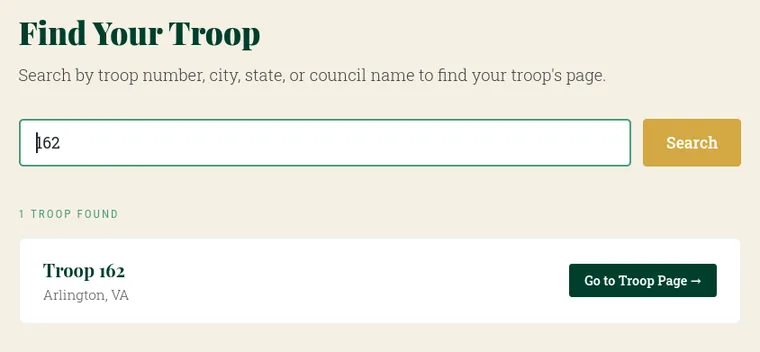
The Find Your Troop search, showing one result for Troop 162 in Arlington, VA
Searching by troop number
2

Say who you are

The sign-in screen asks for Username or email. Either one works, so use your email address if you were never given a username. Then choose Continue →.

Already set up a passkey on this device? Choose Sign in with a passkey instead and use Face ID, your fingerprint, or your device PIN. That skips the rest of this page.
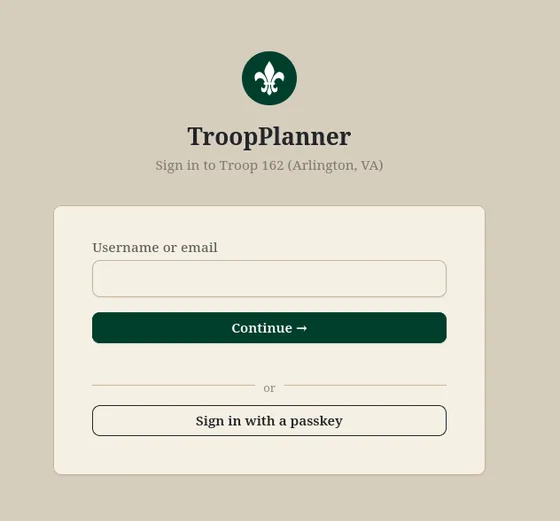
Step one of sign-in, asking for a username or email address
Step one of sign-in
3

Enter your password — or don't

Type your password and choose Log in. On a device only you use, tick Remember me for 2 weeks so you are not asked again every visit.

Never had a password, or can't remember one? Don't guess. Choose Email me a login link at the bottom of this screen and follow the panel below.
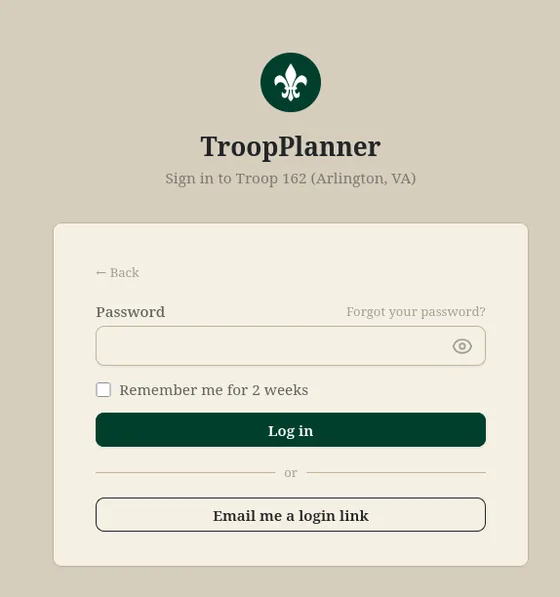
Step two of sign-in, with the password field, Forgot your password link, Remember me checkbox, and Email me a login link button
Step two — password, reset, or login link

All you have is your email address? That is enough.

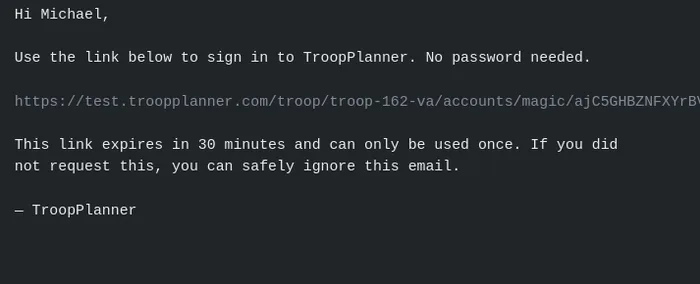
TroopPlanner will email you a link that signs you in directly. You never type a password, and you never need to create one.

  1. Do steps 1 and 2 above, typing your email address into the Username or email box.
  2. On the password screen, leave the password box empty and choose Email me a login link.
  3. You'll see Check your email. Nothing else to do here — leave the page or close it.
  4. Open the message titled Your TroopPlanner login link and select the link inside. It signs you in immediately.
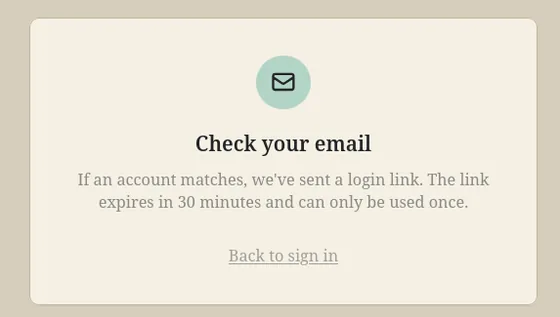
The Check your email confirmation page
The confirmation page
The login-link email, containing a single-use sign-in link
The link that arrives
30 minutesThe link expires half an hour after you ask for it.
One use onlyOnce it signs you in, it stops working. Ask for a new one any time.
A whole familyIf you and your Scouts share one address, the email carries one link per person, each labelled with the name. Pick yours.
No answer is an answerThe page always says a link was sent, even when no account uses that address. If nothing arrives, the address on your record is probably a different one.
4

You're in

However you signed in, you land on your troop's dashboard: the current headcount, the next event on the calendar, and any announcements the troop has posted.

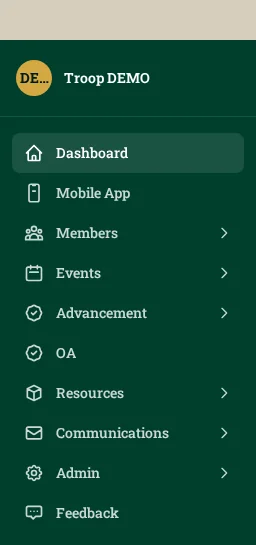
The dark green sidebar on the left is the whole menu — Members, Events, Advancement, My Account and the rest. On a phone, tap the menu button in the top bar to open it.

What you see depends on your role, so a parent's dashboard is shorter than a Scoutmaster's. That's expected.
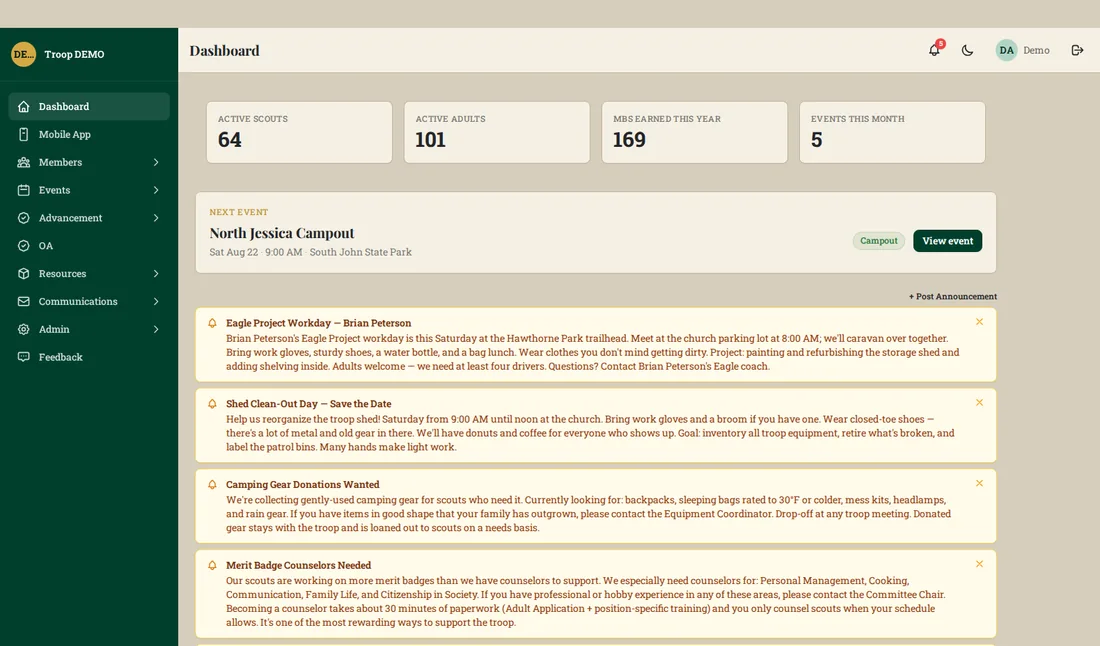
A troop dashboard showing member counts, the next event, and troop announcements
A leader's dashboard
The left sidebar menu, listing Dashboard, Mobile App, Members, Events, Advancement and more
The sidebar menu

When it doesn't work

Almost every sign-in problem is one of these seven.

What happened What to do
I forgot my password On the password screen choose Forgot your password? and enter your email address — the reset matches on email only, not on a username. That link lasts 7 days.
My login link expired Links last 30 minutes and work once. Just request another: back to Email me a login link.
I don't know my username You don't need one. Every screen that accepts a username accepts your email address instead.
No email ever arrives Check the spam or junk folder first. Then ask a leader which address is on your record — mail only goes to the address the troop has. Requests are also capped at a few per hour, so wait a while before trying again.
It asks me to choose an account More than one member shares your email address, usually a parent and their Scouts. Pick the name you want. To switch later, sign out and sign in again.
This is the wrong troop Each troop is separate, with its own page and its own accounts. Go back to Find Your Troop and pick the right one.
Nothing above helps Ask your Scoutmaster or committee to confirm your membership is active and your email address is spelled correctly. They can fix both in minutes.
Leaders: this page is safe to share with families — it holds no troop data. Link it from your welcome email, or print it as a handout.

Go find your troop

Search by troop number, city, state, or council name.